Restore an old photo
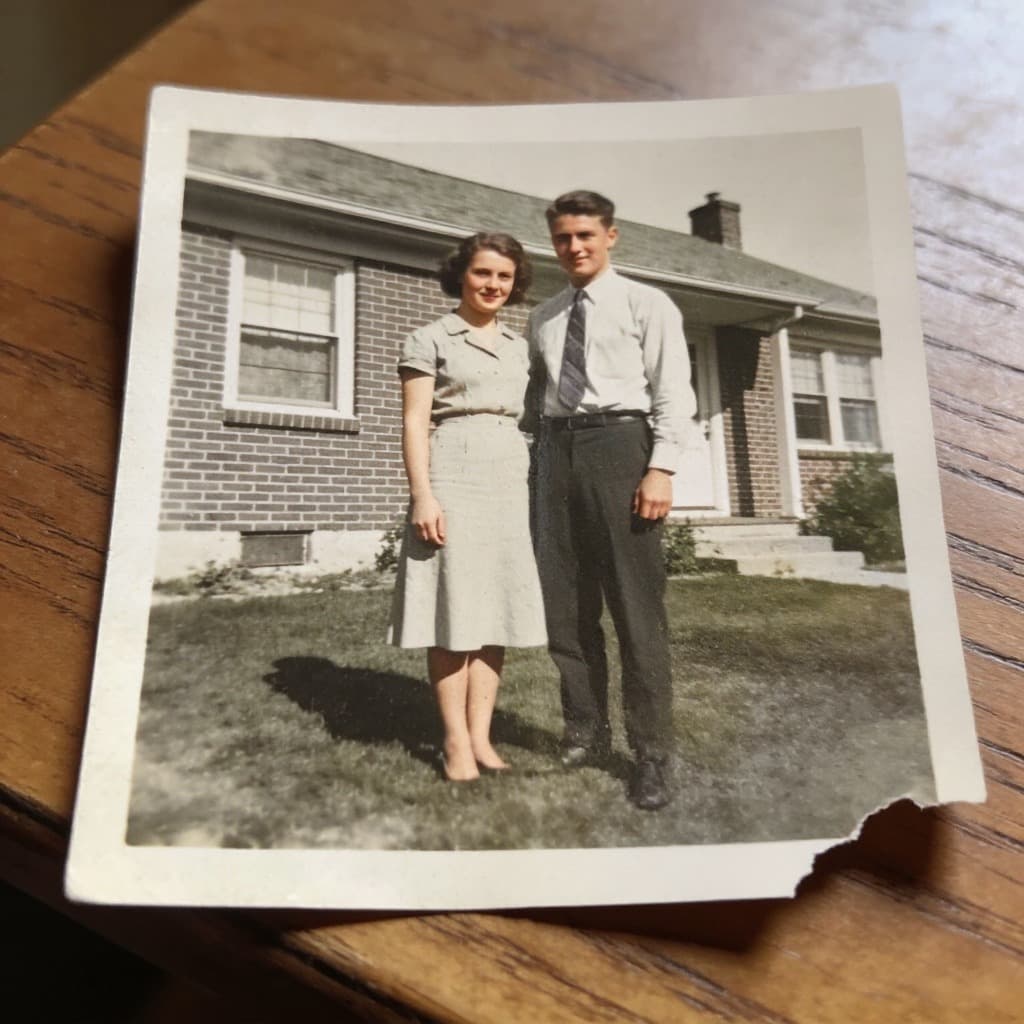
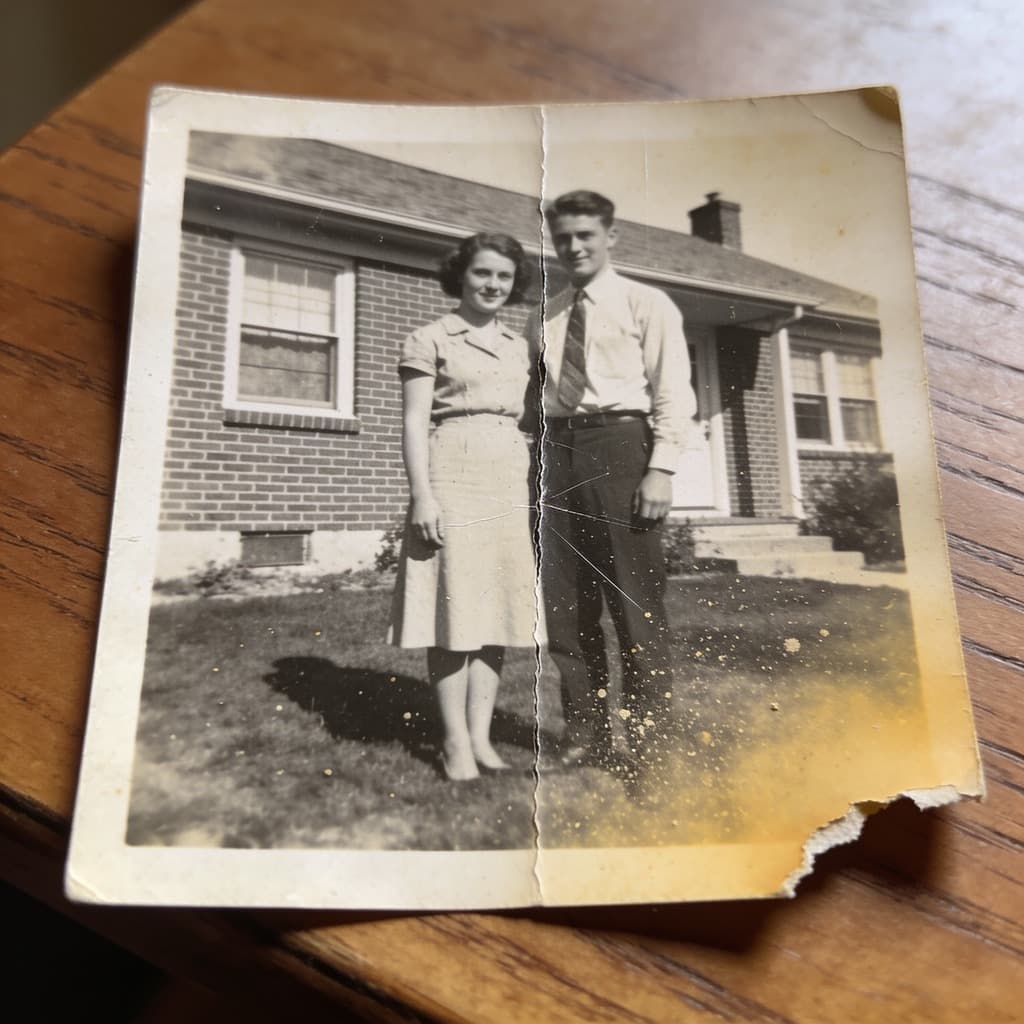
Scan or photograph the print, drop it in, and get it back without the scratches, the creases and the dust — with the grain, the framing and the faces left where they were.
Common questions
- What does it actually fix?
- Surface damage: scratches, creases, tears, foxing, dust and the general fading of an old print. It does not reframe the picture, invent people who were cut off at the edge, or turn a black and white photograph into a colour one — colouring is a separate tool.
- How should I scan the print?
- Flat, evenly lit and as large as your scanner will give you. A phone photograph works too if you avoid a hard shadow and the reflection of the light. The more of the print the file holds, the more there is to work with.
- How many photos a day?
- Three without an account — these runs cost us more than the other tools. With a free account there is no daily limit and each photo costs one credit.
- Do you keep my photograph?
- No. It is sent to the model, the result comes back to your browser, and nothing is stored. Only when you are signed in does the result go to your own history, because that is what an account is for.
More tools
- Image upscalerMake a small picture larger without it going soft.
- Background removerCut the subject out and keep real transparency.
- Photo colorizerPut colour into a black and white photograph.
- Object removerPaint over something and have it taken out.
- Image resizerSet a width or a height, or pick a ready-made size for Instagram, LinkedIn and YouTube.
- Image cropperDrag a crop box, or lock it to a square, 16:9 or a story format.
- Image converterJPG, PNG and WebP, in any direction, with HEIC and AVIF read as well.
- Image compressorMove the quality slider and see the file size before and after.
- HEIC to JPGTurn iPhone photos into a JPG that opens everywhere.
- HEIC to PNGTurn iPhone photos into PNG, with every pixel kept as it is.
- Image combinerPut two pictures into one scene.