Stadtposter in Linienkunst-Prompt
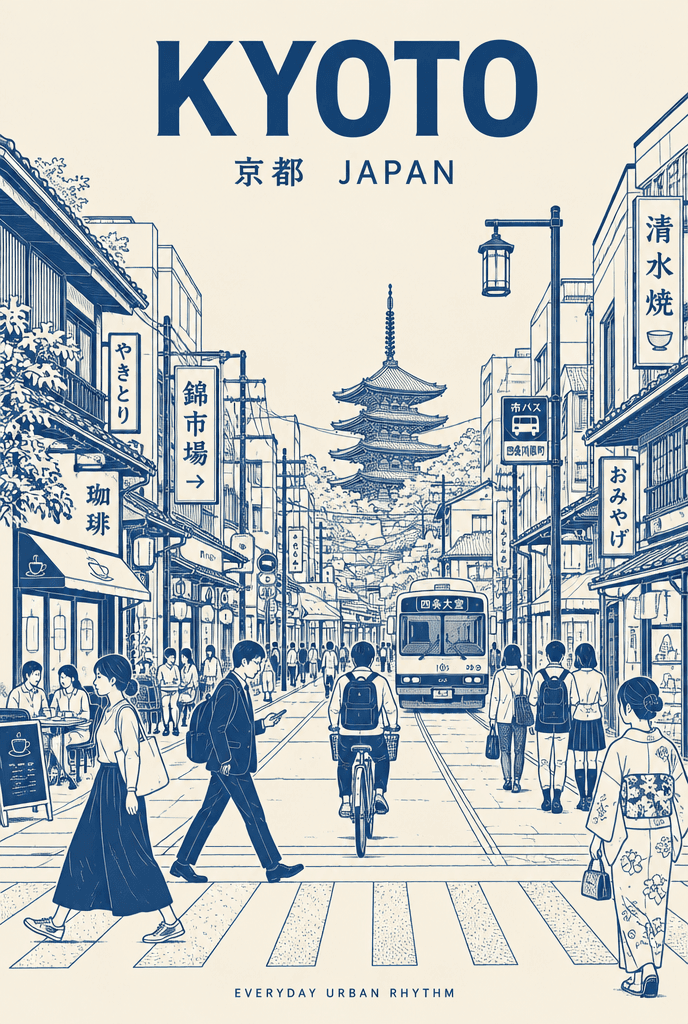
KYOTO
Prompt
Create an ultra-high-resolution minimalist line-art travel poster of KYOTO, portraying the city as a stylish everyday urban scene rather than a tourist postcard. CORE COMPOSITION - The city's most iconic everyday street, intersection, alley, tram street or pedestrian avenue, seen frontally at street level - Foreground: locals, commuters, cyclists, travelers, shoppers, students, café visitors, dressed in the city's real everyday fashion - Background dense with authentic local signage, cafés, storefronts, transport signs and architectural details; landmarks integrated naturally, never exaggerated - Large bold typography at the top center: "KYOTO" - Directly below, smaller: "京都 JAPAN" - Optional footer line in small caps: "Everyday urban rhythm" STYLE Ultra-clean vector illustration, Swiss modernist travel poster, monoline drawing, mid-century editorial aesthetic, precise geometric perspective, extremely clean negative space, premium city-brand campaign feel. LINE STYLE Monochrome line-based illustration only; thin, precise linework; minimal fills; city-map-like detail density; rhythmic layering of signs, windows and street objects; dense yet highly organized. COLOR SYSTEM Exactly one ink color on one paper color, chosen to match the city's atmosphere (architecture, climate, nightlife, cultural identity). Examples: a red-brown on warm ivory for an old capital, deep navy on cream for a river city, charcoal on light grey for a modern metropolis, Mediterranean blue on white for an island town. No rainbow palettes, no neon. Silkscreen poster feel. TEXT QUALITY All typography readable and accurate; local-language signage authentic; no random characters, no broken letters; professional editorial alignment; no other text than specified. OUTPUT Vertical poster, print-ready, ultra sharp. No watermark, no logo, no signature, no border.
Einstellungen
- Destination
- KYOTO
- Local name
- 京都
- Country
- JAPAN
So eines selbst machen
Öffne das Studio mit diesem Prompt und seinen Einstellungen und ändere, was du möchtest.
Für eigene Bilder trag dich in die Warteliste ein.